
MSE Trade
- Client
-

- Project name
- MSE Trade
- Industry
- Trade Management / CRM
- Project Type
- CRM, Analytics, Invoicing, Inventory, Lead Management, Booking system
- Accessibility
- Closed Source
- APIs
- No
MSE Trade
MSE Trade is a customer and RFQ management system designed to streamline trade requests, agent coordination, and invoice processing within a structured CRM platform. The system centralizes customer interactions, RFQ tracking, and administrative workflows to ensure transparent and efficient trade management.
The home module provides a central dashboard for users and admins, offering quick access to RFQs, customer records, and system navigation, enabling clear visibility of ongoing trade activities.
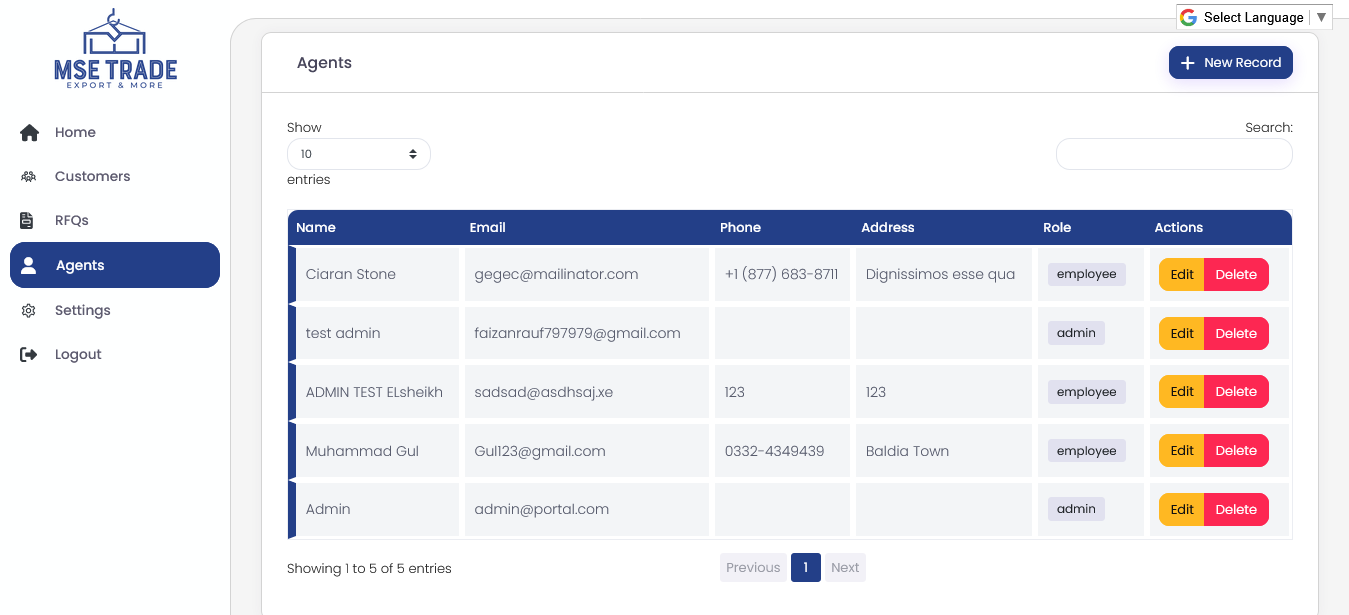
The customers and agents modules manage detailed user profiles, allowing admins to monitor client interactions and assign agents to RFQs for efficient handling of trade requests.
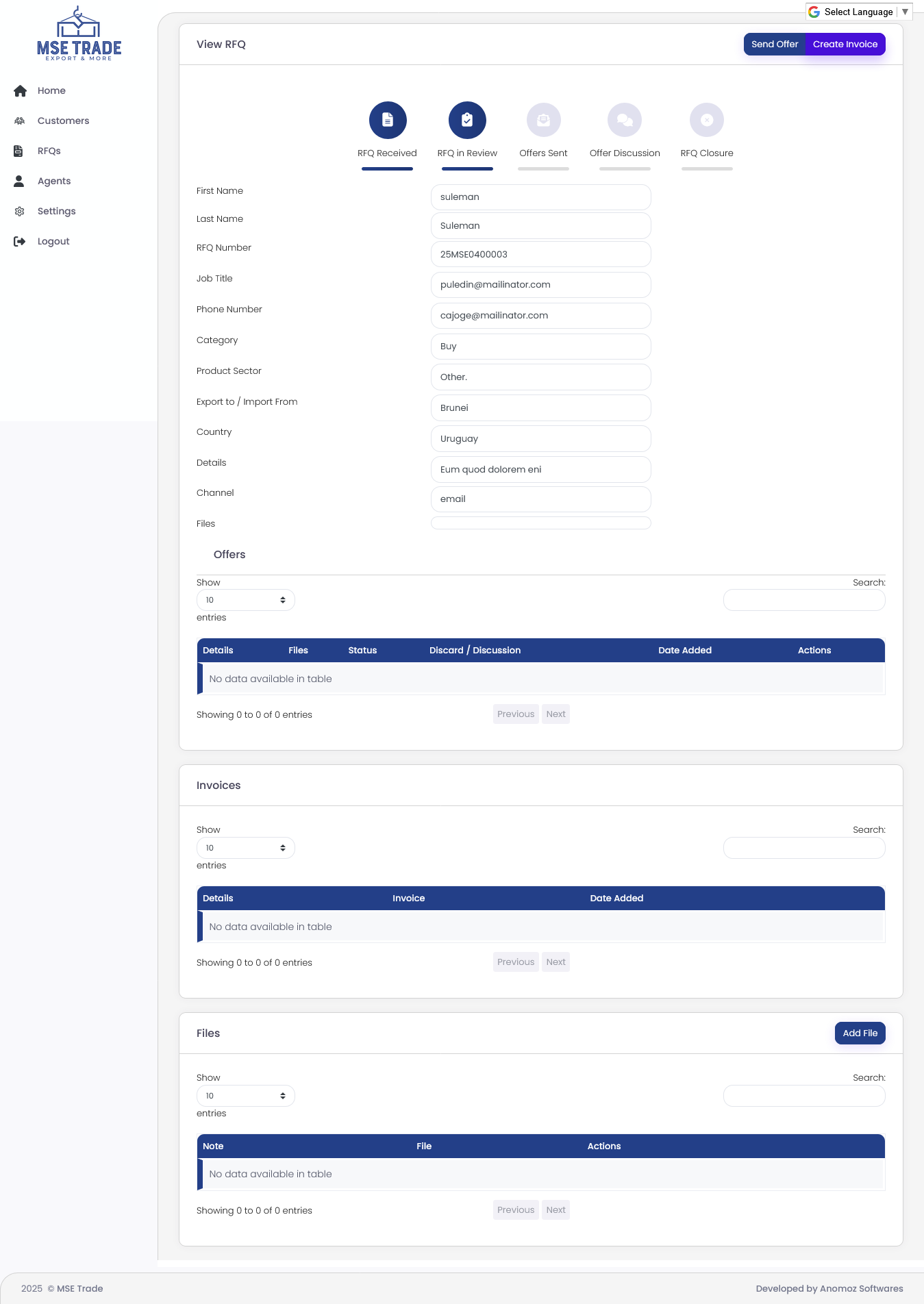
The RFQs module enables users to submit trade requests, track their status in real time, and view updates, while the admin can oversee all RFQs, update statuses, and create multiple invoices per confirmed deal, ensuring accurate record-keeping and billing.
Settings and logout modules provide account management, multi-language support, password recovery, and secure access, ensuring users can manage their profiles and system preferences effectively.
Overall, MSE Trade offers a structured platform for managing trade requests, agent assignments, and invoicing, improving transparency, operational efficiency, and customer satisfaction.
Credentials:
Email: admin@portal.com
Password: 123
Credentials:
Email: admin@portal.com
Password: 123
Screenshots
Modules Description
Central Dashboard
The home module offers a central dashboard giving users and admins quick access to RFQs, customer records, and system navigation for clear visibility of ongoing trade activities.
Customer and Agent Management
Modules for managing detailed user profiles allow admins to monitor client interactions and assign agents to RFQs for efficient trade request handling.
RFQ Submission and Tracking
Users can submit trade requests, track their real-time status, and view updates, while admins can oversee all RFQs, update statuses, and manage invoice creation accurately.
Invoice Processing
Admins can create multiple invoices per confirmed deal to ensure precise record-keeping and billing.
Account and Settings Management
Settings module supports account management features including multi-language support, password recovery, and secure access controls.
Workflow
Interested in having your project built by us? Here is the workflow we usually follow.
Discuss requirements
Once you have a rough sketch of your project requirements in your mind, our team will have a meeting with you to discuss your project requirements in detail.
Sprint Plan
After the requirements are discussed, we will draft a sprint plan which will have all the features planned out for each sprint, along will the approximate budget required for the project.
Project Start
We are ready to start on the project now! During the project development, we will be working alongside with you and providing you regular updates so that your project is built to your needs.
Testing
Once the project is built, our team will perform rigorous testing on the system for any bugs.
Project Completion
Now that the project is complete, we are ready to proceed to the next and final step.
Deployment
For the final step, the project will be deployed to the live server so that you and your customers can starting using your newly built solution
Similiar Projects


More Projects?
Do you want to have a look at some of the other projects we have done over the course of 4 years?
View All